
Circuit Rush
Three lanes. One clean run.
How to play with your keyboard
Click Play now, or Tab to the game and press Enter. After using a menu, choose Focus game to send your keys back to the game. Arrow keys work across keyboard layouts.
Hold to build speed.
Hold in the direction you want to move.
Hold to slow down.
Hold while accelerating. Watch the boost meter.
Start the selected stage or retry after a crash.
Pause the current run. Esc may exit fullscreen first.
Start the stage again from the beginning.
Look beyond the nearest car. Brake before changing into a narrow opening, and save nitro for a clear lane. Collect three rings for an extra challenge.
A 3D car driving game in your browser
Circuit Rush is a solo driving challenge with three courses, parked traffic, and a finish line to reach. Accelerate, choose a clear lane, and brake when an opening is too narrow. Nitro gives you extra speed while its meter lasts; a clear stretch is a better place to use it than a crowded approach.
Drive the alpine, canyon, and night courses
Alpine Sprint, Copper Canyon, and Midnight Coast have different scenery and route lengths. Collect the three golden rings if you want an extra target, or focus on completing a clean run. Normal mode records your fastest completed course time; checkpoint practice helps you learn without replacing that result.
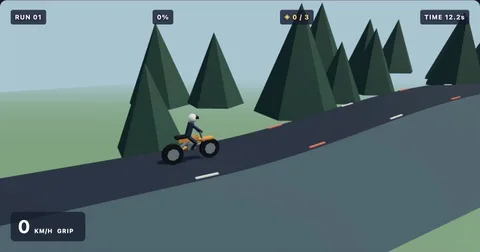
Play with WASD or the arrow keys, use Shift for nitro, and press Space to brake. Touch buttons are available too. This original 3D racing game runs locally in a browser with WebGL 2 support and does not require an account. For another vehicle challenge, try the balance-focused Summit Rider motorcycle game.
Find your flow
All games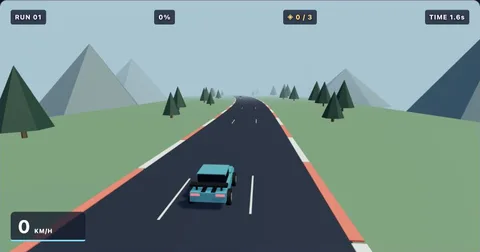
The playbook
All guidesBrowser game has no sound? Check these settings
Restore sound in browser games by checking interaction, mute controls, volume, and the active browser tab.
3 min readKeyboard helpKeyboard not working in a browser game: a quick checklist
Fix common browser game focus problems and find the correct controls for each Geometry Dash Gamer game.
3 min readMobile playPlaying browser games on your phone: touch controls and screen space
Learn how to start touch-controlled games, avoid accidental scrolling, and choose a comfortable mobile browser layout.
3 min readCircuit Rush: simple controls,
a satisfying challenge.
Hold W or Up to accelerate. Steer with A/D or Left/Right. S, Down, or Space brakes; Shift activates nitro. Avoid parked traffic and cross the finish line. Touch controls are available below the game.
Look beyond the nearest car. Brake before changing into a narrow opening, and save nitro for a clear lane. Collect three rings for an extra challenge.
Collect three golden rings for an extra challenge. Practice mode adds automatic checkpoints to help you learn a level. Normal mode starts from the beginning and tracks your fastest finish time. Scores last for your current page session unless you enable saving in storage settings.
Before your next run
Who created these games?
These are independently developed browser games with custom stages, procedural visuals, and synthesized music. They are not official versions of another game.
Do I need to install anything?
No. The games run in a modern browser with JavaScript enabled. There are no plugins, accounts, or installers.
Can I play on a phone?
Yes. Use the throttle, brake, and steering buttons below the game. Landscape gives you a wider view.
How does practice work?
Practice places checkpoints automatically as you progress. A crash restarts at the last checkpoint. Practice results do not replace your normal-mode best.