
Summit Rider
Ride the ridge. Land it clean.
How to play with your keyboard
Click Play now, or Tab to the game and press Enter. After using a menu, choose Focus game to send your keys back to the game. Arrow keys work across keyboard layouts.
Hold to accelerate.
Balance the bike in the air and match the landing slope.
Hold to slow down before a steep crest.
Press while moving on the ground.
Start the selected stage or retry after a crash.
Pause the current run. Esc may exit fullscreen first.
Start the stage again from the beginning.
Ease off before a steep crest, then line the wheels up with the landing slope. A slower clean landing is better than a fast crash.
A motorcycle trials game with hills and landings
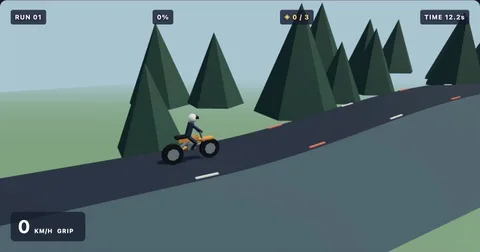
Summit Rider is a 3D bike game about carrying the right amount of speed over uneven ground. Hold the throttle to move forward, brake before a difficult crest, and use left or right to balance in the air. A clean landing means lining up the wheels with the slope rather than simply reaching the ground.
Ride three trails and improve your time
Pine Ridge, Redrock Trail, and Moonlight Peaks offer different hills and scenery. A small grounded hop can help you experiment with a crest, but too much rotation can end a run. Three optional rings add a collection target along each trail.
Start with checkpoint practice if a landing keeps causing trouble. The slower training settings give you more time to understand the bike, while normal mode tracks your fastest complete run. Keyboard and touch controls are both available. For a lane-based driving challenge, switch to Circuit Rush; for a practice routine, read our checkpoint guide.
Find your flow
All games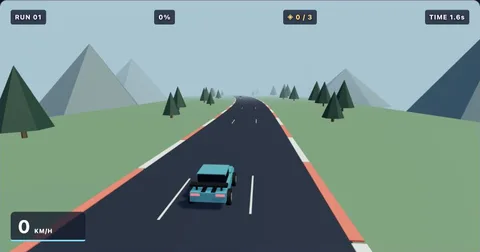
The playbook
All guidesBrowser game has no sound? Check these settings
Restore sound in browser games by checking interaction, mute controls, volume, and the active browser tab.
3 min readKeyboard helpKeyboard not working in a browser game: a quick checklist
Fix common browser game focus problems and find the correct controls for each Geometry Dash Gamer game.
3 min readMobile playPlaying browser games on your phone: touch controls and screen space
Learn how to start touch-controlled games, avoid accidental scrolling, and choose a comfortable mobile browser layout.
3 min readSummit Rider: simple controls,
a satisfying challenge.
Hold W or Up for throttle. Use A/D or Left/Right to lean back or forward in the air. S or Down brakes; Space adds a small hop when you are on the ground. Touch controls are available below the game.
Ease off before a steep crest, then line the wheels up with the landing slope. A slower clean landing is better than a fast crash.
Collect three golden rings for an extra challenge. Practice mode adds automatic checkpoints to help you learn a level. Normal mode starts from the beginning and tracks your fastest finish time. Scores last for your current page session unless you enable saving in storage settings.
Before your next run
Who created these games?
These are independently developed browser games with custom stages, procedural visuals, and synthesized music. They are not official versions of another game.
Do I need to install anything?
No. The games run in a modern browser with JavaScript enabled. There are no plugins, accounts, or installers.
Can I play on a phone?
Yes. Use the throttle, brake, and steering buttons below the game. Landscape gives you a wider view.
How does practice work?
Practice places checkpoints automatically as you progress. A crash restarts at the last checkpoint. Practice results do not replace your normal-mode best.