
Vector Flight
Keep a steady hand. Find your line.
How to play with your keyboard
Click Play now, or Tab to the game and press Enter. After using a menu, choose Focus game to send your keys back to the game. Arrow keys work across keyboard layouts.
Hold to climb; release to descend. Use short holds to stay centered.
Start the selected stage or retry after a crash.
Pause the current run. Esc may exit fullscreen first.
Start the stage again from the beginning.
Use short holds and releases near the middle of the channel. A long hold moves you toward the ceiling quickly. Look ahead at the bend instead of staring at the ship.
A wave flying game for steady hands
Vector Flight turns one held button into a flight challenge. Hold to climb and release to descend as the channel bends ahead of your ship. The ship keeps moving forward, so the goal is to make small corrections early rather than wait until you are close to a wall.
Find a line through each course
Clear Skies has the widest channel for learning the controls. Crosscurrent and Slipstream add speed and reduce the room for error. Three golden shards give you an optional reason to leave the safest line, but you can finish without collecting them.
This free browser game supports Space, W, the Up arrow, and held touch input. Practice checkpoints let you return to a section you want to master, and slower training speeds give you more time to react. Music and effects can be muted separately. Read the wave controls guide for ways to reduce overcorrection.
Find your flow
All games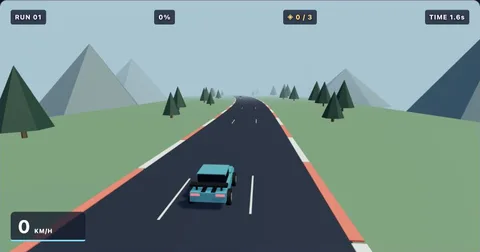
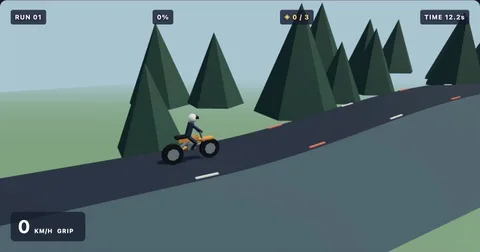
The playbook
All guidesBrowser game has no sound? Check these settings
Restore sound in browser games by checking interaction, mute controls, volume, and the active browser tab.
3 min readKeyboard helpKeyboard not working in a browser game: a quick checklist
Fix common browser game focus problems and find the correct controls for each Geometry Dash Gamer game.
3 min readMobile playPlaying browser games on your phone: touch controls and screen space
Learn how to start touch-controlled games, avoid accidental scrolling, and choose a comfortable mobile browser layout.
3 min readVector Flight: simple controls,
a satisfying challenge.
Hold Space, Up, W, the game area, or the touch control to climb. Release to descend. Stay inside the curved channel until you reach the finish.
Use short holds and releases near the middle of the channel. A long hold moves you toward the ceiling quickly. Look ahead at the bend instead of staring at the ship.
Collect three golden shards for an extra challenge. Practice mode adds automatic checkpoints to help you learn a level. Normal mode starts from the beginning and tracks your best completion percentage. Scores last for your current page session unless you enable saving in storage settings.
Before your next run
Who created these games?
These are independently developed browser games with custom stages, procedural visuals, and synthesized music. They are not official versions of another game.
Do I need to install anything?
No. The games run in a modern browser with JavaScript enabled. There are no plugins, accounts, or installers.
Can I play on a phone?
Yes. Tap the play area or use its touch control. For Vector Flight, keep your finger down to climb and release to descend.
How does practice work?
Practice places checkpoints automatically as you progress. A crash restarts at the last checkpoint. Practice results do not replace your normal-mode best.